TIL: Using Homebridge to Add Non-HomeKit Devices to Apple Home
Homebridge lets you plug non-HomeKit devices into Apple Home. It acts as a bridge between your devices and HomeKit, running as a lightweight server on something like a Raspberry Pi, a Mac, or even a Docker container.
The setup is straightforward: install Homebridge, find the right plugin for your device, and pair it with Apple Home using the generated code. Once paired, your device shows up in the Home app just like any native HomeKit accessory.
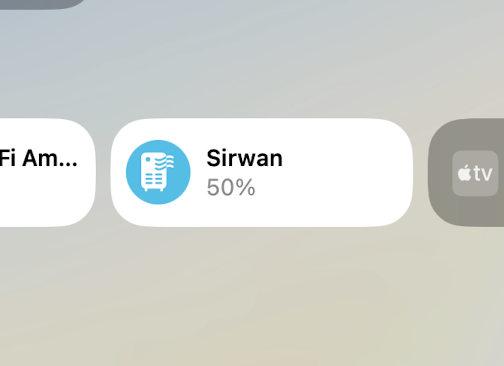
I used it to connect my Levoit air purifier to Apple Home. Levoit doesn’t support HomeKit natively, but with the homebridge-levoit plugin, I can now control it directly from the Home app, use it in automations, and even ask Siri to turn it on or off.
How It Works Under the Hood
Homebridge implements Apple’s HomeKit Accessory Protocol (HAP) in Node.js. When it starts, it advertises itself on your local network via mDNS/Bonjour, which is the same discovery mechanism that native HomeKit accessories use. That’s why Apple Home sees it as a legitimate accessory bridge.
Each plugin registers one or more accessories with Homebridge. An accessory exposes services (like AirPurifier, Switch, TemperatureSensor) and each service has characteristics (like Active, RotationSpeed, CurrentAirQuality). These map directly to the HAP specification, so Apple Home knows exactly how to render and control them.
For example, the Levoit plugin communicates with the Levoit cloud API (the same one the VeSync app uses), polls the device state, and maps it to HAP services:
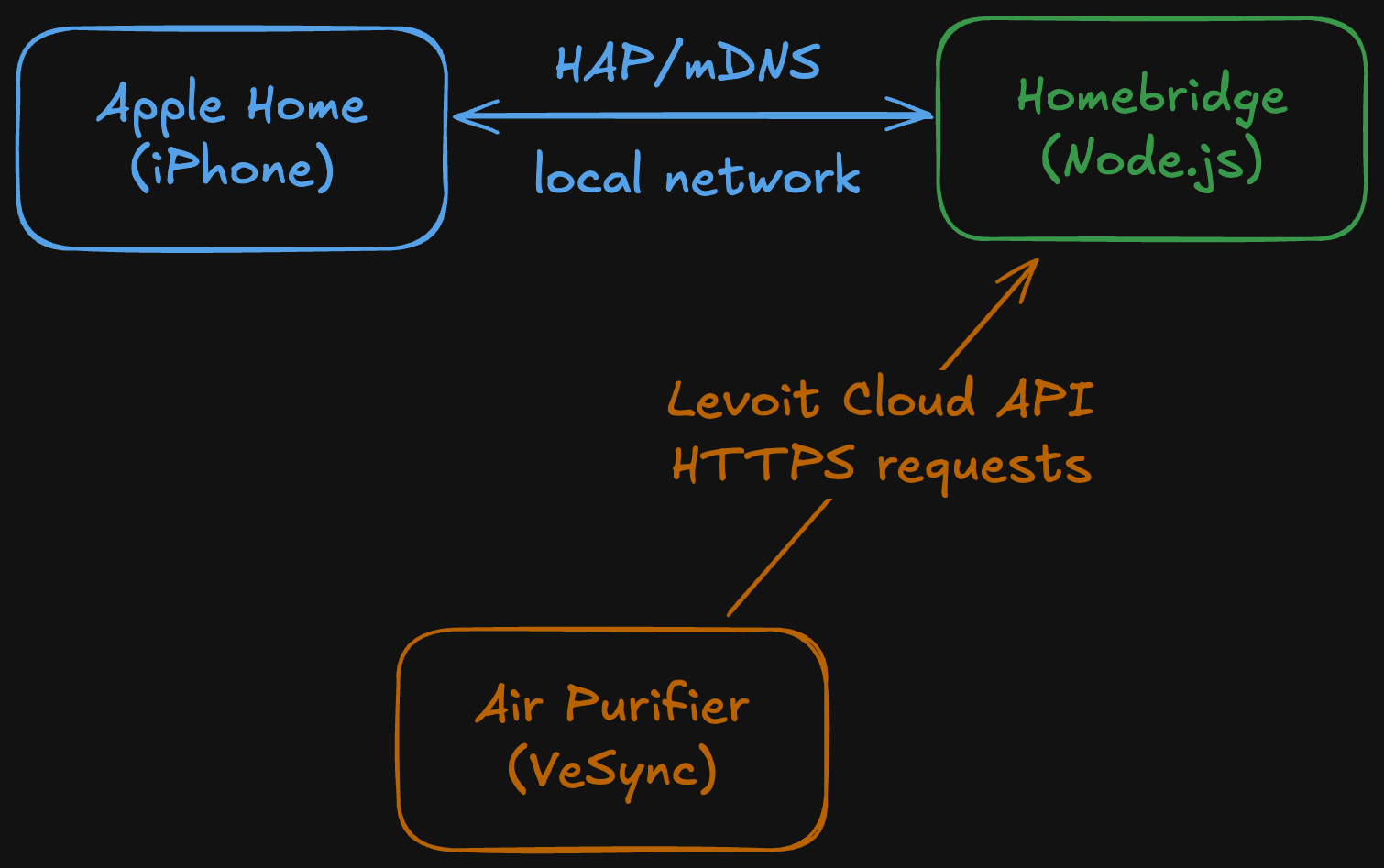
When you tap “Turn On” in Apple Home, the request flows like this:
- Apple Home sends a HAP request to Homebridge over your local network
- Homebridge routes it to the Levoit plugin
- The plugin calls the VeSync cloud API to turn on the purifier
- The purifier receives the command and turns on
- The plugin updates the HAP characteristic to reflect the new state
The config lives in ~/.homebridge/config.json:
{
  "bridge": {
    "name": "Homebridge",
    "username": "CC:22:3D:E3:CE:30",
    "port": 51826,
    "pin": "031-45-154"
  },
  "platforms": [
    {
      "platform": "Levoit",
      "email": "your-vesync-email",
      "password": "your-vesync-password"
    }
  ]
}
The pin is what you scan when pairing with Apple Home. The username is a unique MAC-like identifier for the bridge. Once paired, all communication between Apple Home and Homebridge happens locally on your network — only the plugin-to-device communication goes through the cloud.
It works surprisingly well. If you have smart devices stuck outside the Apple ecosystem, Homebridge is worth checking out.