# TypeScript and Vue.js
In this blog post I would like to show how to combine Vue.js with TypeScript inside an ASP.NET Core 2.x application.
- Published: 2018-05-28
- Language: en
- Tags: TypeScript, Vue.js, JavaScript, ASP.NET Core
- Canonical: https://sirwan.info/blog/en/TypeScript-and-Vue.js
---
 You might be wondering why do we need to worry about yet another framework when we already know there are things like Angular, React, ... the answer is simplicity. I have used Angular in some of my previous projects by Angular I mean the first version of it (AngularJS 1.x) but these days I feel like Angular team is going to force developers to migrate to Angular (2, 3, 4, 5, 6, ...). I really like Vue.js, it's really a great one because I think Vue.js is Declarative, Easy to Maintain and Powerful.
Also, the integration between Vue and TypeScript is really good. Just like other frameworks Vue also has CLI which helps you to scaffold your project quickly. In this blog post, I would like to show how to combine Vue.js with TypeScript inside an ASP.NET Core 2.x application.
### Project Setup
The easiest way to get started is by using dotnet cli tool to create a project:
```bash
dotnet new mvc --name aspnet-vue-typescript
```
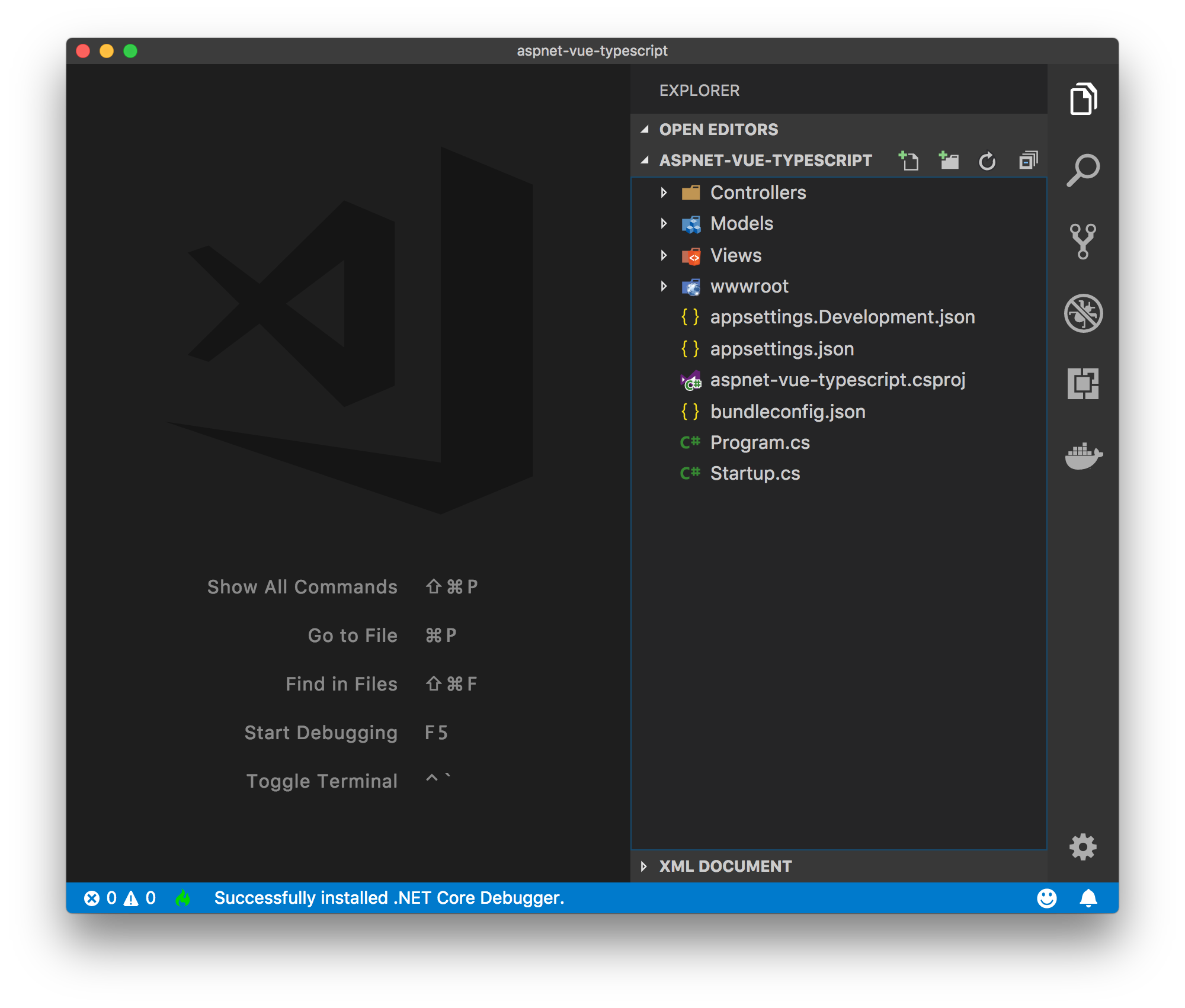
Then cd to that directory and then use `code .` to open VSCode. At this point the project structure looks like this:
You might be wondering why do we need to worry about yet another framework when we already know there are things like Angular, React, ... the answer is simplicity. I have used Angular in some of my previous projects by Angular I mean the first version of it (AngularJS 1.x) but these days I feel like Angular team is going to force developers to migrate to Angular (2, 3, 4, 5, 6, ...). I really like Vue.js, it's really a great one because I think Vue.js is Declarative, Easy to Maintain and Powerful.
Also, the integration between Vue and TypeScript is really good. Just like other frameworks Vue also has CLI which helps you to scaffold your project quickly. In this blog post, I would like to show how to combine Vue.js with TypeScript inside an ASP.NET Core 2.x application.
### Project Setup
The easiest way to get started is by using dotnet cli tool to create a project:
```bash
dotnet new mvc --name aspnet-vue-typescript
```
Then cd to that directory and then use `code .` to open VSCode. At this point the project structure looks like this:
 To get started with our client side code we need to install some packages, for doing so we need `package.json` file:
```json
{
"name": "aspnet-vue-typescript",
"version": "1.0.0",
"description": "",
"main": "index.js",
"scripts": {
"test": "echo \"Error: no test specified\" && exit 1"
},
"author": "Sirwan Afifi",
"license": "ISC",
"dependencies": {
"ts-loader": "^4.3.0",
"typescript": "^2.8.3",
"vue": "^2.5.16",
"vue-class-component": "^6.2.0",
"vue-property-decorator": "^6.1.0",
"webpack": "^4.9.1",
"webpack-dev-server": "^3.1.4"
},
"devDependencies": {
"aspnet-webpack": "^2.0.3",
"css-loader": "^0.28.11",
"file-loader": "^1.1.11",
"sass-loader": "^7.0.1",
"style-loader": "^0.21.0",
"vue-loader": "^15.2.1",
"vue-template-compiler": "^2.5.16",
"webpack-cli": "^2.1.4",
"webpack-hot-middleware": "^2.22.2"
}
}
```
Once you installed this packages using `npm install`, we'll create our `webpack.config.js` file:
```js
let webpack = require("webpack");
const VueLoaderPlugin = require("vue-loader/lib/plugin");
let path = require("path");
module.exports = {
entry: {
main: "./ClientApp/main",
},
output: {
path: path.resolve(__dirname, "wwwroot", "js"),
filename: "[name].js",
publicPath: "/js/",
},
module: {
rules: [
{ test: /\.vue$/, loader: "vue-loader" },
{
test: /\.tsx?$/,
loader: "ts-loader",
exclude: /node_modules/,
options: { appendTsSuffixTo: [/\.vue$/] },
},
],
},
resolve: {
extensions: [".tsx", ".ts", ".js"],
alias: {
vue$: "vue/dist/vue.esm.js", // 'vue/dist/vue.common.js' for webpack 1
},
},
optimization: {
splitChunks: {
cacheGroups: {
commons: {
test: /[\\/]node_modules[\\/]/,
name: "main",
chunks: "all",
},
},
},
},
plugins: [new VueLoaderPlugin()],
};
```
As you can see we're telling webpack where the entry point is, so create a new directory inside the project called `ClientApp`, this directory contains all Vue's related files, Inside this directory, create a ts file called `main.ts` this file is going to be our entry point:
```js
import Vue from "vue";
import MyComponent from "./components/MyComponent.vue";
Vue.config.productionTip = false;
const v = new Vue({
el: "#app",
data() {
return {
name: "Sirwan",
};
},
components: {
MyComponent,
},
});
```
Next, we have specified the output which is `bundle.js` file, this file doesn't yet exist, it's going to be created by webpack. Then we have specified TypeScript loader for webpack. Next thing left to do is adding `tsconfig.json` file to the project:
```js
{
"compilerOptions": {
"sourceMap": true,
"noImplicitReturns": true,
"noImplicitAny": true,
"experimentalDecorators": true,
"emitDecoratorMetadata": true,
"target": "es5",
"strict": true,
"module": "es2015",
"moduleResolution": "node",
"lib": [
"es2016",
"dom"
]
},
"exclude": [
"node_modules",
"wwwroot"
]
}
```
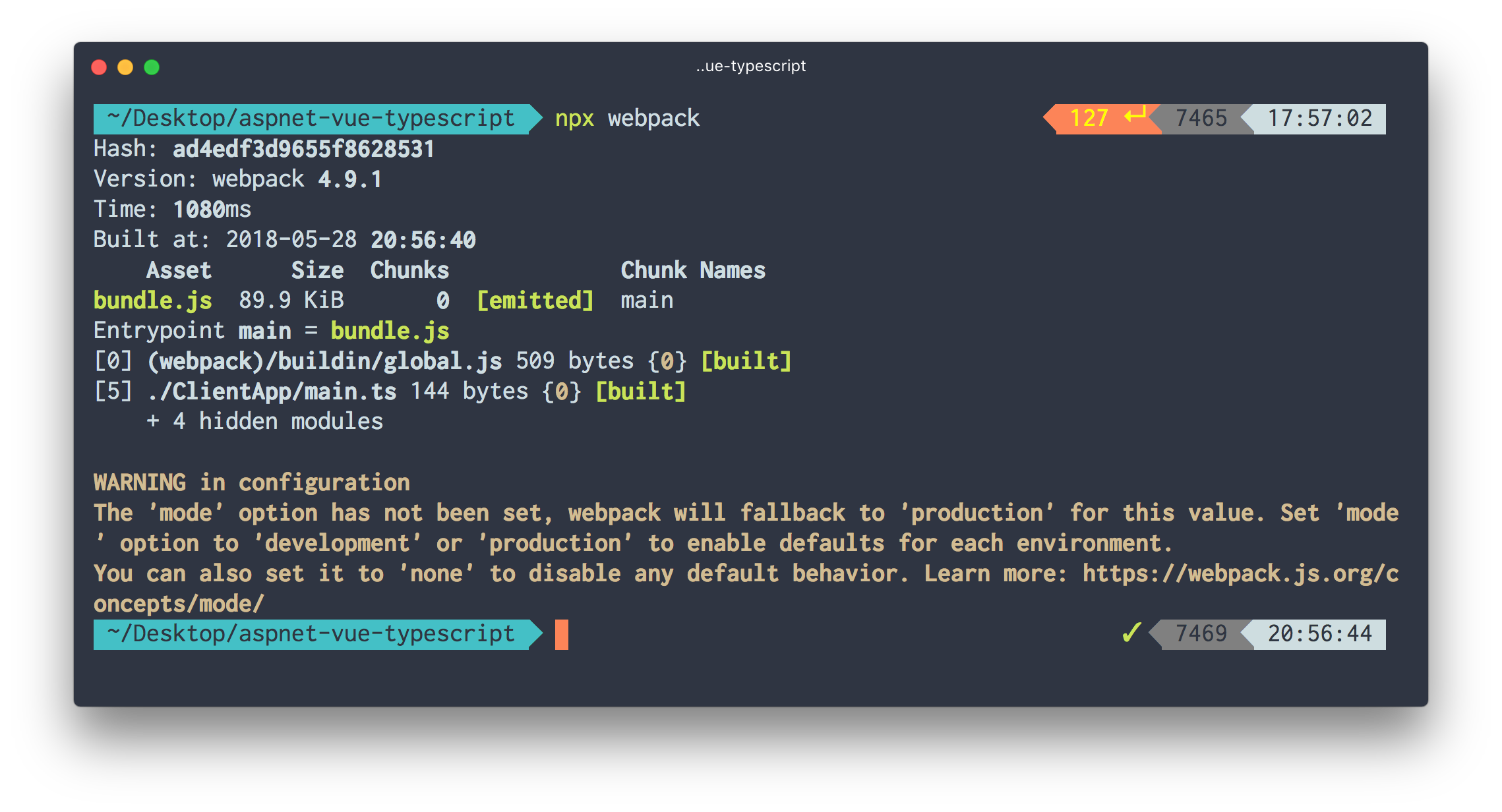
At this point if you run `npx webpack` you'll see the bundle file:
To get started with our client side code we need to install some packages, for doing so we need `package.json` file:
```json
{
"name": "aspnet-vue-typescript",
"version": "1.0.0",
"description": "",
"main": "index.js",
"scripts": {
"test": "echo \"Error: no test specified\" && exit 1"
},
"author": "Sirwan Afifi",
"license": "ISC",
"dependencies": {
"ts-loader": "^4.3.0",
"typescript": "^2.8.3",
"vue": "^2.5.16",
"vue-class-component": "^6.2.0",
"vue-property-decorator": "^6.1.0",
"webpack": "^4.9.1",
"webpack-dev-server": "^3.1.4"
},
"devDependencies": {
"aspnet-webpack": "^2.0.3",
"css-loader": "^0.28.11",
"file-loader": "^1.1.11",
"sass-loader": "^7.0.1",
"style-loader": "^0.21.0",
"vue-loader": "^15.2.1",
"vue-template-compiler": "^2.5.16",
"webpack-cli": "^2.1.4",
"webpack-hot-middleware": "^2.22.2"
}
}
```
Once you installed this packages using `npm install`, we'll create our `webpack.config.js` file:
```js
let webpack = require("webpack");
const VueLoaderPlugin = require("vue-loader/lib/plugin");
let path = require("path");
module.exports = {
entry: {
main: "./ClientApp/main",
},
output: {
path: path.resolve(__dirname, "wwwroot", "js"),
filename: "[name].js",
publicPath: "/js/",
},
module: {
rules: [
{ test: /\.vue$/, loader: "vue-loader" },
{
test: /\.tsx?$/,
loader: "ts-loader",
exclude: /node_modules/,
options: { appendTsSuffixTo: [/\.vue$/] },
},
],
},
resolve: {
extensions: [".tsx", ".ts", ".js"],
alias: {
vue$: "vue/dist/vue.esm.js", // 'vue/dist/vue.common.js' for webpack 1
},
},
optimization: {
splitChunks: {
cacheGroups: {
commons: {
test: /[\\/]node_modules[\\/]/,
name: "main",
chunks: "all",
},
},
},
},
plugins: [new VueLoaderPlugin()],
};
```
As you can see we're telling webpack where the entry point is, so create a new directory inside the project called `ClientApp`, this directory contains all Vue's related files, Inside this directory, create a ts file called `main.ts` this file is going to be our entry point:
```js
import Vue from "vue";
import MyComponent from "./components/MyComponent.vue";
Vue.config.productionTip = false;
const v = new Vue({
el: "#app",
data() {
return {
name: "Sirwan",
};
},
components: {
MyComponent,
},
});
```
Next, we have specified the output which is `bundle.js` file, this file doesn't yet exist, it's going to be created by webpack. Then we have specified TypeScript loader for webpack. Next thing left to do is adding `tsconfig.json` file to the project:
```js
{
"compilerOptions": {
"sourceMap": true,
"noImplicitReturns": true,
"noImplicitAny": true,
"experimentalDecorators": true,
"emitDecoratorMetadata": true,
"target": "es5",
"strict": true,
"module": "es2015",
"moduleResolution": "node",
"lib": [
"es2016",
"dom"
]
},
"exclude": [
"node_modules",
"wwwroot"
]
}
```
At this point if you run `npx webpack` you'll see the bundle file:
 Now we can add a script reference inside `Views/Shared/_Layout.cshtml` to `bundle.js` file:
```html
```
Now we can use Vue inside our views:
```csharp
@{
ViewData["Title"] = "Home Page";
}
Now we can add a script reference inside `Views/Shared/_Layout.cshtml` to `bundle.js` file:
```html
```
Now we can use Vue inside our views:
```csharp
@{
ViewData["Title"] = "Home Page";
}
Hello, {{ name }}
```
### Hot Module Replacement
Webpack has something called Hot [Module Replacement](https://webpack.js.org/concepts/hot-module-replacement/):
> Hot Module Replacement (HMR) exchanges, adds, or removes modules while an application is running, without a full reload. This can significantly speed up development in a few ways:
> Retain application state which is lost during a full reload.
> Save valuable development time by only updating what's changed.
> Tweak styling faster -- almost comparable to changing styles in the browser's debugger.
For adding this functionality we need to install `webpack-hot-middleware` package:
```bash
npm i -D webpack-hot-middleware
```
Then we need to register this component into MVC's HTTP request pipeline in the `Configure` method, for doing this we need to install [Microsoft.AspNetCore.SpaServices](https://www.nuget.org/packages/Microsoft.AspNetCore.SpaServices):
```csharp
app.UseWebpackDevMiddleware(new WebpackDevMiddlewareOptions
{
HotModuleReplacement = true
});
```
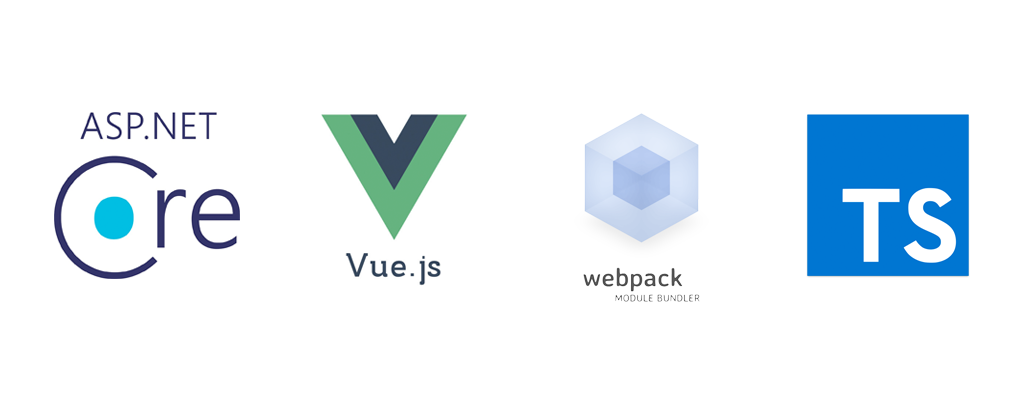
This middleware looks for webpack file and automatically executes it for us when we change client side code: